OnCourtAI Tennis Coach — Now on Mobile

Improve your tennis
with AI analysis

Record your stroke, upload to the app, and get instant biomechanical feedback with personalised coaching tips — in under 30 seconds. Free.
📱 Available on Web, iOS & Android
Get the OnCourtAI App
Free to Join — start analysing your shots today
Free download
Open the App →
50+ players improving · rated 4.9/5
OnCourtAI app showing a list of analysed tennis shots with AI scores
New
Ask AI Coach
Questions about your technique answered from your own data
100s
Shots Analyzed
50+
Active Players
87%
See Improvement
4.9★
User Rating
See it in action

Watch the AI analyse
a real shot

See how OnCourtAI tracks 20+ body points, detects stroke type, calculates racket speed and delivers personalised coaching feedback from a single video clip.

20+ body points trackedFull skeleton overlay with real-time pose detection
Results in under 30 secondsUpload and receive your full analysis almost instantly
Personalised coaching tipsSpecific drills and corrections based on your technique
🎾 Live AI Analysis Demo
What you get

Everything you need to improve your game

Professional-grade stroke analysis and biomechanics at your fingertips.
Shot Detection
Automatically identifies forehand, backhand, serve, and volley with 98% accuracy.
Biomechanics Analysis
Advanced body tracking analyses your positioning, rotation, and movement frame by frame.
Performance Metrics
Track racket speed, contact point, follow-through, and dozens of other key indicators.
AI Coaching
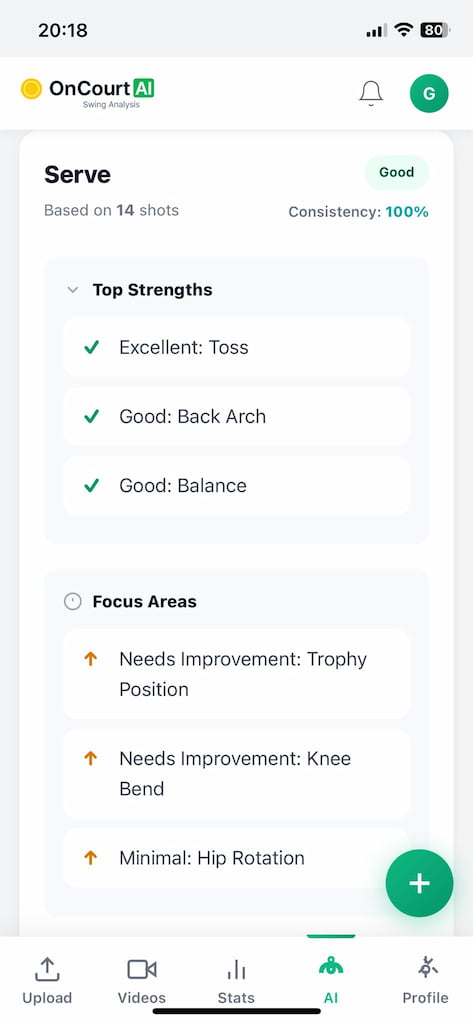
Get custom feedback and drill recommendations based on your specific technique issues.
Progress Tracking
Visualise your improvement over time with detailed analytics and comparison tools.
Instant Results
Upload your video and receive comprehensive analysis in under 30 seconds.
The App

See every screen of your AI coach

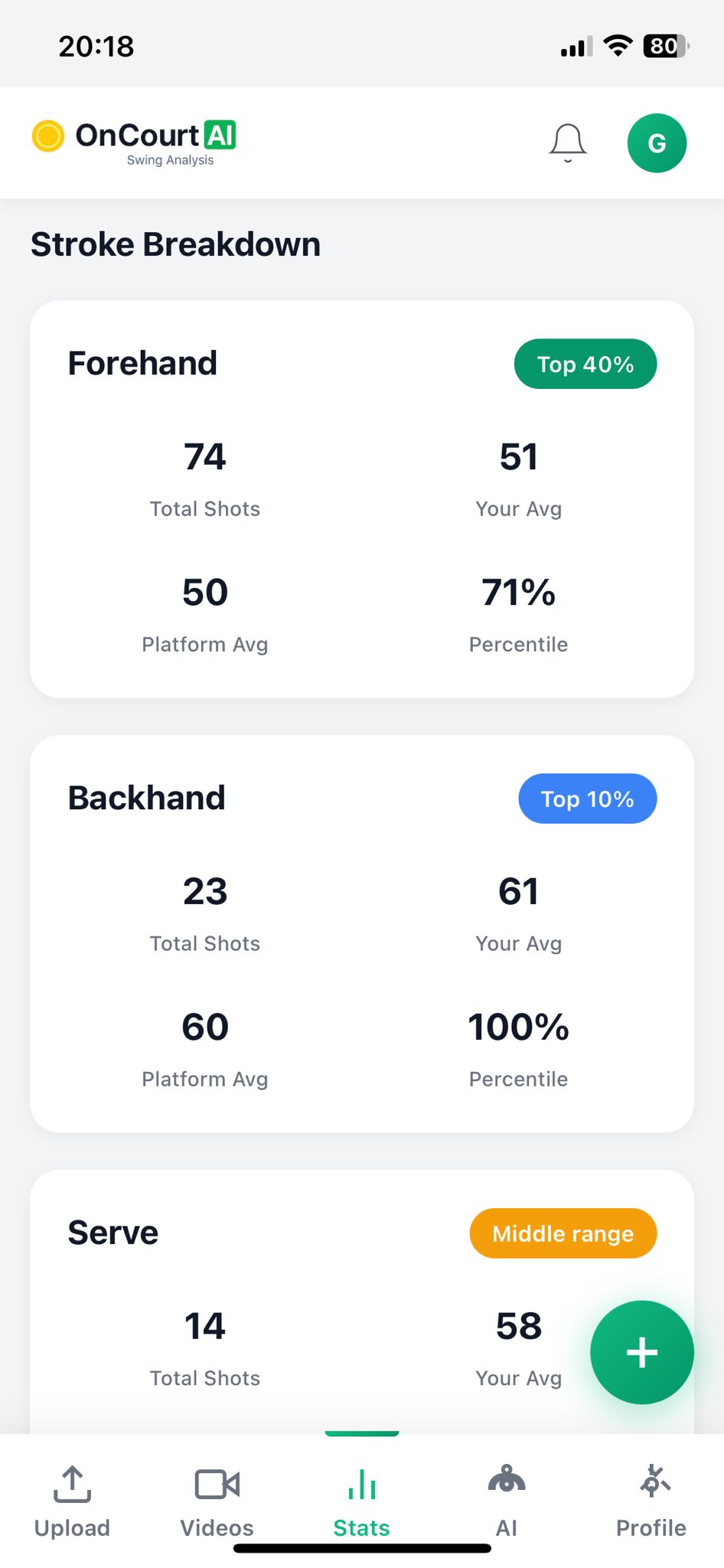
OnCourtAI analysis screen showing biomechanical scores and stroke breakdown
Analysis
In depth shot analysis
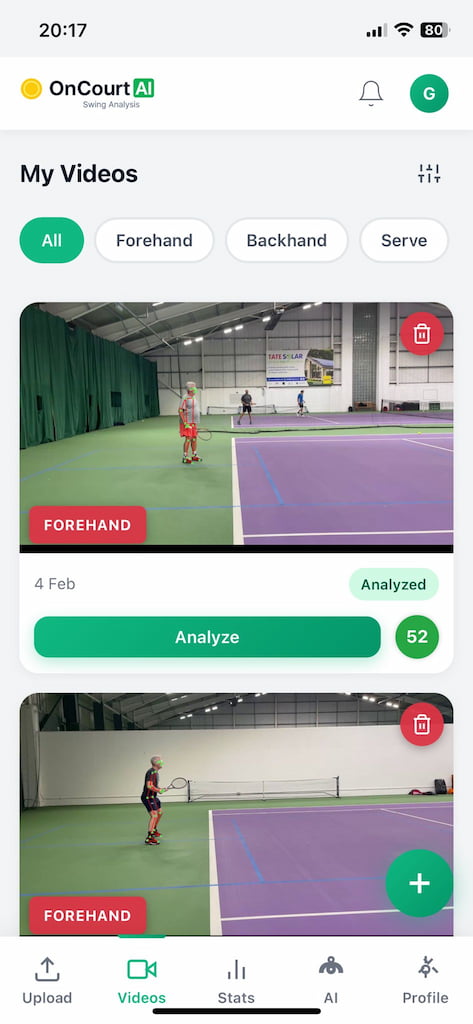
OnCourtAI videos screen showing a grid of analysed tennis shots with scores
My Videos
All shots and scores
OnCourtAI detailed analysis screen showing body point metrics and phase breakdown
Analysis
Detailed biomechanical scores
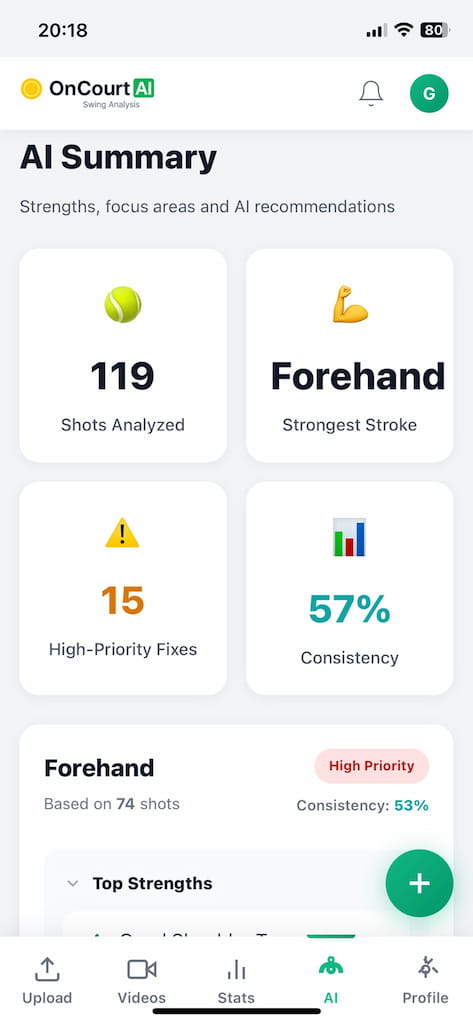
OnCourtAI AI coach screen showing personalised coaching feedback and drill recommendations
AI Coach
AI for actionable technique advice
How it works

Four steps to better tennis

From recording your shot to personalised coaching in under a minute.

Record Your Shot
Film your stroke from the side with any phone. A tripod or a friend works perfectly.
Upload to the App
Open OnCourtAI and upload your video with one tap. Works on iPhone and Android.
AI Analyses Your Technique
Our AI tracks 20+ body points and measures your swing speed, rotation and contact.
Get Your Feedback
Receive detailed insights, coaching tips and drills tailored to your technique.
Player reviews

What players are saying

from 50+ active players
★★★★★

"This app completely transformed my backhand. The analysis showed me exactly what I was doing wrong, and within two weeks I saw massive improvement."

Sarah Mitchell
Club Player
★★★★★

"Easy and fast to use and I can see my progression over time. The AI feedback is spot on — it catches things you'd never notice yourself."

Marcus Park
Competitive Junior
★★★★★

"I use it to review my players' technique between sessions. The biomechanical data catches things I miss with the naked eye."

James Lawson
Club Coach, LTA Level 3
For Tennis Coaches

Manage your squad with AI

Invite your players, assign AI-analysed videos, track their progress and add private coaching notes — all in one place.
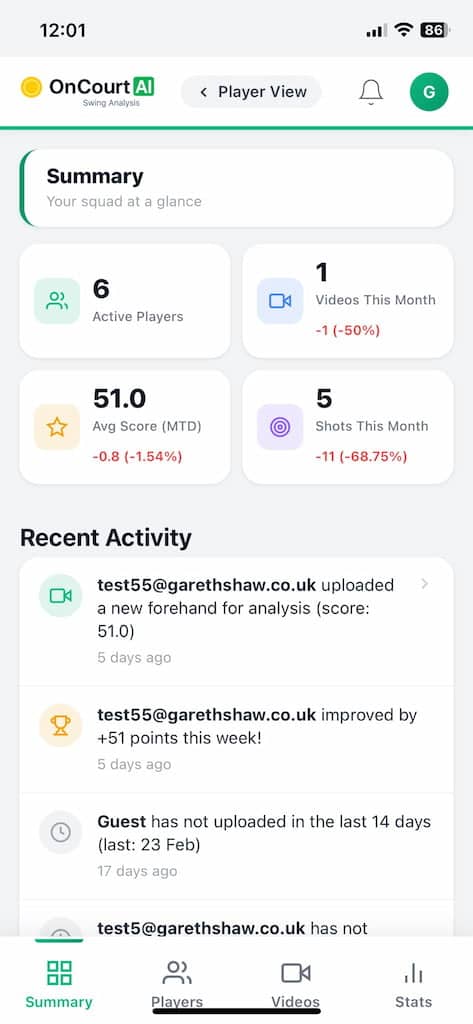
  • Invite players with a single tap — they register with your code
  • Reassign AI analysis videos to any player in your squad
  • Track activity, session stats and improvement over time
  • Add private coaching notes visible only to you
  • Free to use for coaches during our early-access period
Explore Coach Features →
OnCourtAI coach dashboard showing squad overview
Free Download · Free Trial · No Credit Card

Start improving your game today

Upload your first shot and get professional coaching feedback in under 30 seconds.

Open on your phone:
oncourtai.co.uk/mobile-app
FAQ

Common questions

How easy is the app to use?
Point your phone camera at the player from the side, upload the video — the AI does the rest. No technical knowledge needed.
What equipment do I need?
Just a phone that shoots video at 30fps. A tripod helps but a friend can film you. No special cameras or sensors required.
Who can see my recordings?
Only you can see your recordings and data unless you choose to share them with a coach.
How accurate is the analysis?
We aim for at least 90% accuracy for most shots depending on video quality. Side-on angles give the best results.
How much does it cost?
OnCourtAI is completely free while we develop the app. Full access to all features at no cost.
How do I install the app?
Open oncourtai.co.uk/mobile-app in Safari (iOS) or Chrome (Android), tap share/menu, then "Add to Home Screen". Installs in seconds.