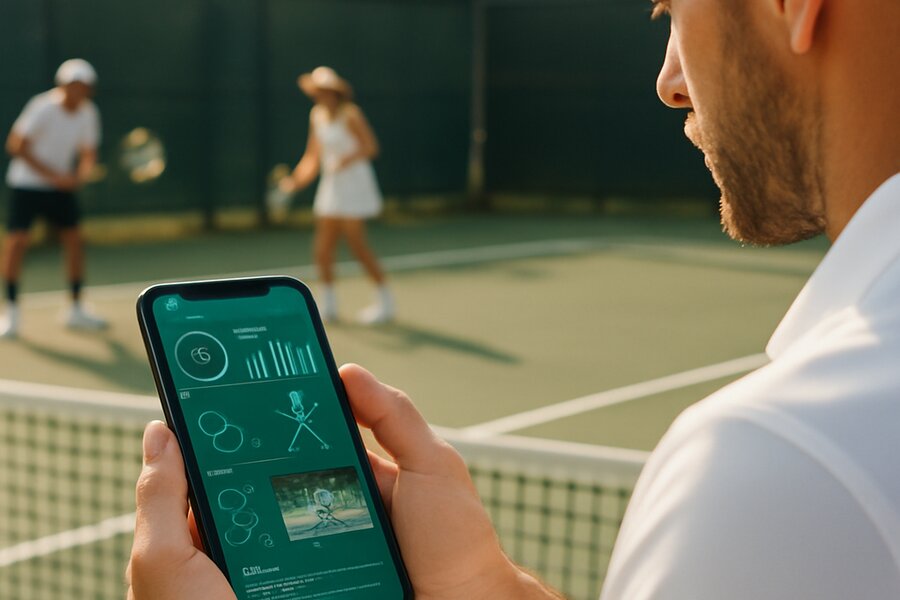
Coaching has always involved far more than the time spent on court. There are videos to review, notes to write, goals to set, progress to track, drills to assign, and conversations to maintain between sessions. For most coaches, this work is scattered across WhatsApp, email, voice notes, paper pads and memory. The OnCourtAI Coach Portal was built to consolidate all of it into one mobile workspace — giving coaches a professional, structured way to manage players, deliver evidence-backed feedback, and keep their coaching visible and valuable between lessons.
This is a complete guide to what the portal offers, how each feature works, and who it is designed for.
Getting Started: Registration and Trial
The Coach Portal is accessible to any coach who registers at oncourtai.co.uk/coaches. Registration takes about 30 seconds. Every new coach account comes with a 60-day free trial — no payment details required upfront. During the trial you have full access to every feature on your chosen plan, so you can build your squad, assign work to players and see exactly how the platform fits your coaching before you commit to a subscription.
After the trial, coaches choose between the Starter plan (up to 10 students, £19.99/month) and the Pro plan (for larger squads and academies, £39.99/month). Both plans include the same full feature set — the difference is the number of students you can manage. Annual billing saves 20% on both plans.
Squad Management: Your Players, Groups and Priorities
The first thing you set up in the portal is your squad. You invite players by generating a unique code or link they use to set up their own free OnCourtAI account. Once they join, they appear in your Players tab with their activity status, recent uploads, technique scores, any open threads, and any outstanding goals or drills. You can see at a glance who is active, who has gone quiet, and who has had a score drop that deserves attention.
Players can be organised into groups — squads, age bands, coaching programmes, competitive levels, or any other structure that matches how you actually work. Groups unlock bulk actions: you can assign a goal, a drill, or a lesson note to an entire group at once, rather than visiting each player profile individually. For coaches with mixed rosters this is a significant time saver.
The active, pending and inactive status indicators give you an always-visible picture of engagement across your squad. Unread thread badges on each player profile ensure you never miss a reply that needs a response.
AI Video Analysis: Professional-Grade Evidence from a Phone Video
The core of OnCourtAI is its AI video analysis — and in the Coach Portal, this becomes evidence you can use directly in your coaching. When a player uploads a video, the AI processes it against 80+ biomechanical metrics, tracking 27 key markers across the full kinematic chain from feet to racket tip. The result is a technique score out of 100, a breakdown of component scores (preparation, swing path, contact point, follow-through, footwork, and more), and a set of coaching notes generated directly from what the data shows.
As a coach, you see every player's analyses in the Videos tab. You can filter by player, by stroke type, by score range, or by the Coach Attention Flag — a system that automatically highlights videos where the AI has identified a pattern worth a coach's direct attention. This might be a consistent fault across multiple sessions, a score that has dropped significantly from the player's average, or a biomechanical combination that suggests a developing issue rather than a one-off mistake.
The analysis covers both tennis and padel. For tennis: forehand, backhand, serve and volley. For padel: all nine strokes including the serve, forehand drive, backhand drive, volley, lob, bandeja, víbora, smash and chiquita. You decide the coaching message; the platform provides the objective evidence.
Goals, Drills and Lesson Notes: Turning Analysis into Action
Seeing a problem in a player's biomechanics is only half the job. The Coach Portal's goals, drills and lesson notes system closes the loop between analysis and action.
Goals are measurable targets you set for individual players, with due dates and progress tracking. A goal might be "improve forehand contact point score from 62 to 75 by the end of the month" or "complete five padel lob practice sessions before the next tournament". Players see their goals in the app; when they complete them, you get notified.
Drills come from the built-in drill library, which covers targeted exercises for every major stroke type in both tennis and padel. You assign drills directly to players from the analysis screen or from the player profile, with coach notes attached so the player has context for what to focus on and why. Due dates and completion tracking make it easy to follow up.
Lesson notes are dated written records tied to specific sessions — recaps of what was covered, homework for the next session, match preparation notes, or any other written record you want to keep. They appear on the player's profile in chronological order, so you always have a clear timeline of the coaching work you have done together. Both you and the player can see them.
All three can be assigned in bulk to groups or selected players — a single action from the group view distributes the work to every player in it.
Feedback Threads: Conversations in Context
One of the biggest frustrations in coaching communication is context collapse — a player sends a message about their forehand, you reply in WhatsApp, and three weeks later neither of you can find the conversation or remember which video it was about. The Coach Portal solves this by attaching threads directly to the things being discussed.
A feedback thread on a video stays attached to that video, always. A thread on a goal stays on the goal. A thread on a drill assignment stays with the drill. When you or the player adds a comment, it appears in context rather than in a generic chat window. The Threads inbox gives you a filtered view of all open conversations across your squad, with unread counts and filters so you can prioritise what needs attention first.
In-app notifications alert both coaches and players to new replies, completed assignments, and new goals or drills. Nothing falls through the cracks because context is preserved and responses are visible in the same place as the work.
Player Reports: Progress You Can Print and Share
At the end of a training block, a term, or a competitive season, coaches often need to communicate player progress in a clear, structured format. The Coach Portal generates downloadable player reports that include recent technique scores, trend direction, active goals and their completion status, assigned drills, lesson notes and coaching observations. The report is formatted for clarity and can be shared with the player, their parents, or other coaches in the programme.
For coaches who charge for structured coaching packages, a clear progress report is a tangible deliverable that demonstrates the value of the coaching relationship beyond the hours on court.
Draft Assistant: Writing Help from the Player Profile
The Draft Assistant is one of the portal's most practical features for coaches who produce a lot of written content — lesson recaps, weekly summaries, training plans, video feedback notes, parent communications, and report text. From any player profile, you can generate an editable draft for any of these document types in seconds. The draft is pre-populated with the player's recent data — their scores, their active goals, their recent drill assignments — so you are not starting from a blank page.
The draft does not send or save anything automatically. You edit it, adapt it to your voice, and use it however you choose. It is a starting point, not an automated output. Many coaches tell us the Draft Assistant alone saves them an hour or more of writing per week.
Mobile-First, No Extra Equipment Needed
Every feature in the Coach Portal is accessible from a smartphone. There is no desktop-only dashboard, no separate app to download for coaches, and no specialist hardware required. Players film their sessions on their existing phones. You review, respond and assign work on yours. The entire coaching workflow runs through the OnCourtAI mobile app, which works as a progressive web app on iOS and Android without needing an app store download.
This phone-first design is intentional. Coaching happens on court, in changing rooms, on the drive home, and in the ten minutes before the next session starts. The portal is designed to fit those moments, not require a trip to a desktop.
Register for your 60-day free trial at oncourtai.co.uk/coaches and bring your coaching workflow into one place.